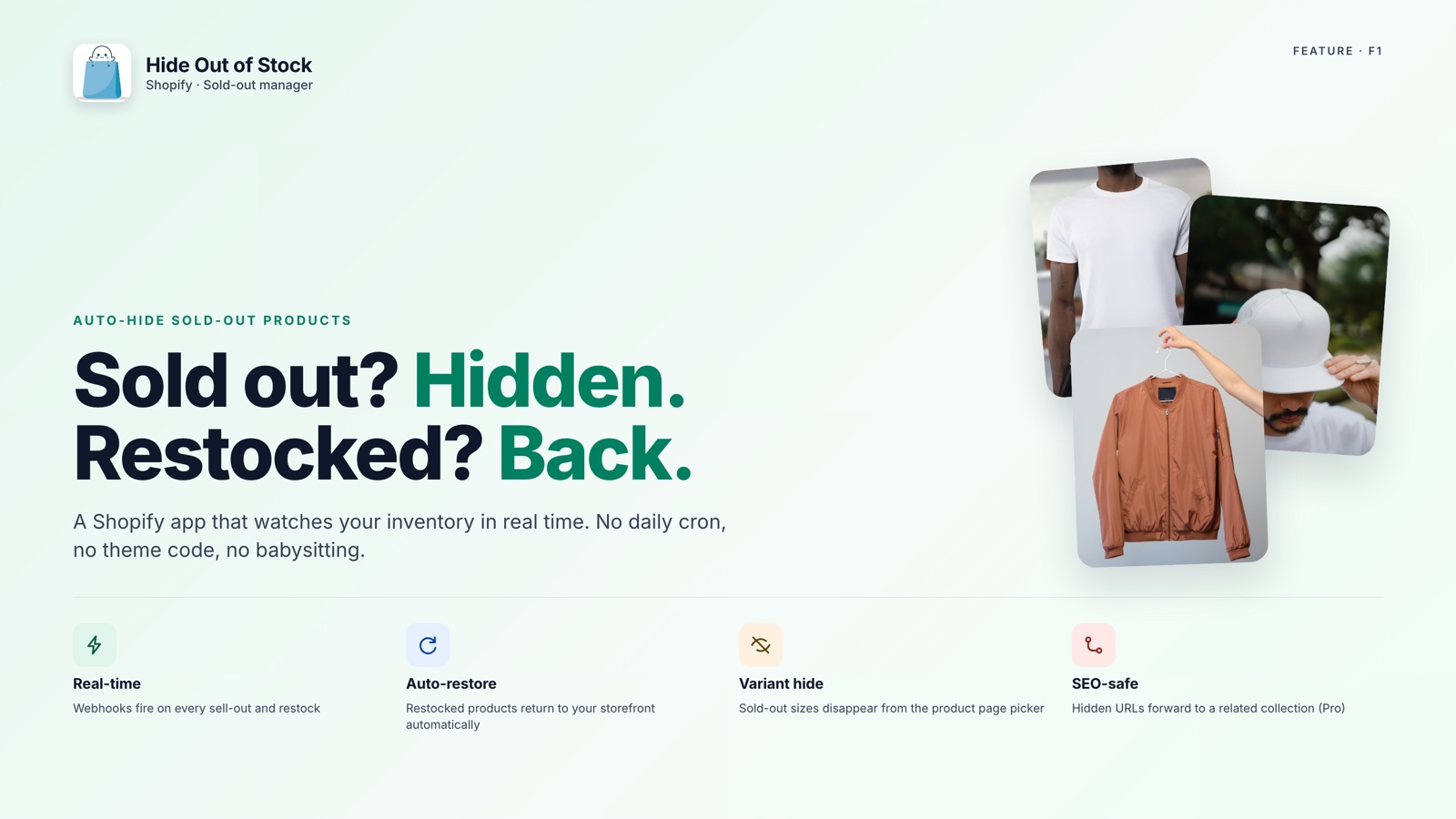
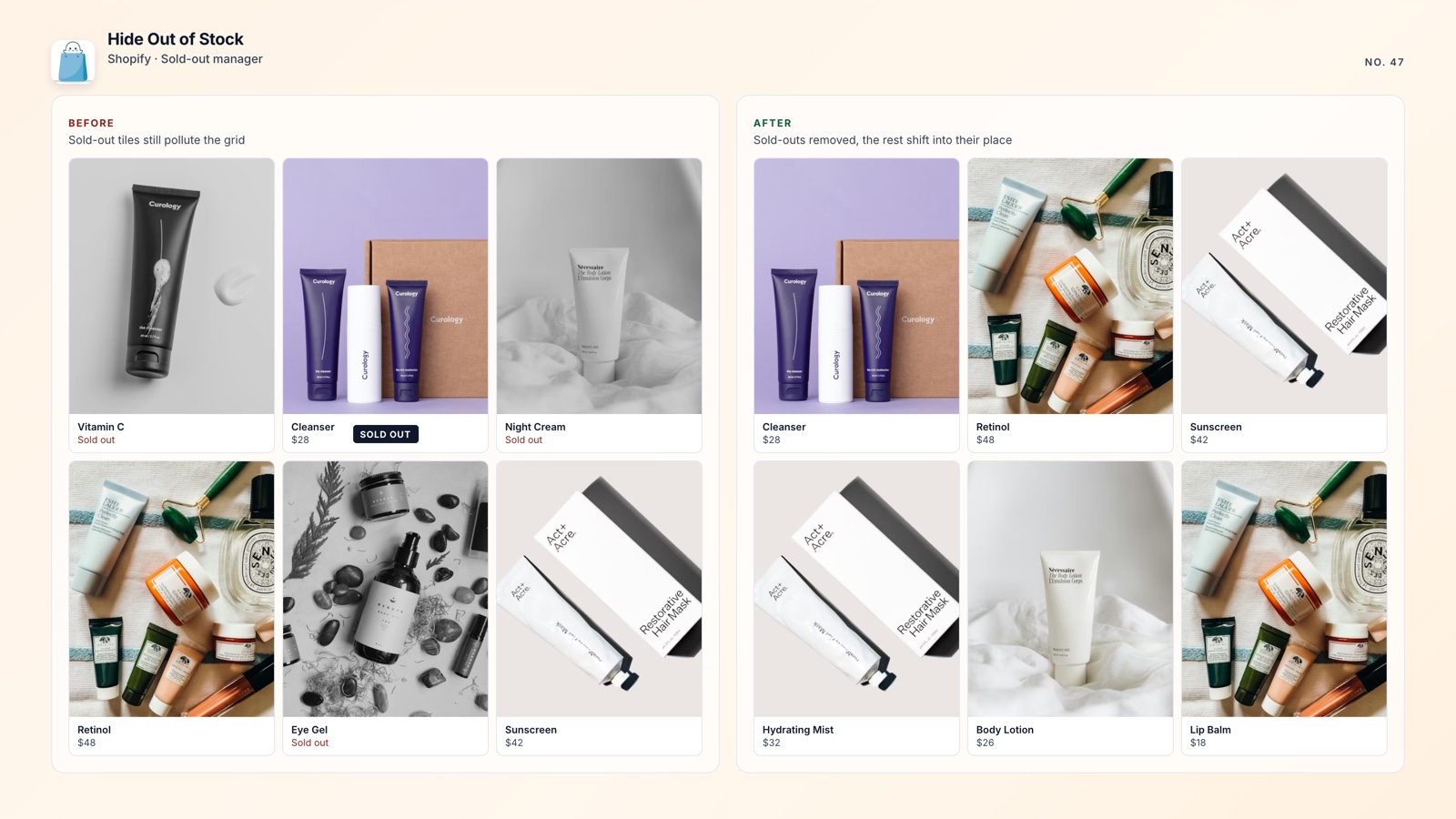
You hid a dozen sold-out products last month. Now three are back in stock, but they are still in Draft mode and invisible to Google and customers. Shopify does not give you a clear history of what happened.
That gap can become lost sales. Here is how to monitor hidden products in Shopify, identify what the app changed, and make sure restocked items do not stay hidden by accident.
🎯 Quick Summary
- Shopify has no native dashboard for the products currently hidden as Draft.
- Hide Out of Stock records a live activity feed with 7-day and 30-day hide counts.
- A one-click export gives you a clean CSV of the products the app manages.
- Products return to Active as soon as inventory comes back, with no manual follow-up.
📊 A Dashboard and Activity Feed for Hidden Products
Shopify's Draft status tells you a product's current state, but not its history. You can filter Products by Draft and count the rows, yet you cannot see when each product was hidden or what triggered the change.
That matters for stores that hide and restore sold-out products every day. Without timestamps, it is difficult to tell what the app hid, what a team member changed manually, or why a product is still missing from the storefront.
A spreadsheet can help, but only if someone exports the catalog, filters it, checks dates, and updates it after every change. That process becomes fragile as the catalog grows.
Hide Out of Stock keeps the record in the app. Its Dashboard tab shows the products it currently has hidden, when each one was hidden, and a running activity feed with 7-day and 30-day counts. You can quickly see whether the app hid 3 products this week or 30, then investigate anything unexpected.
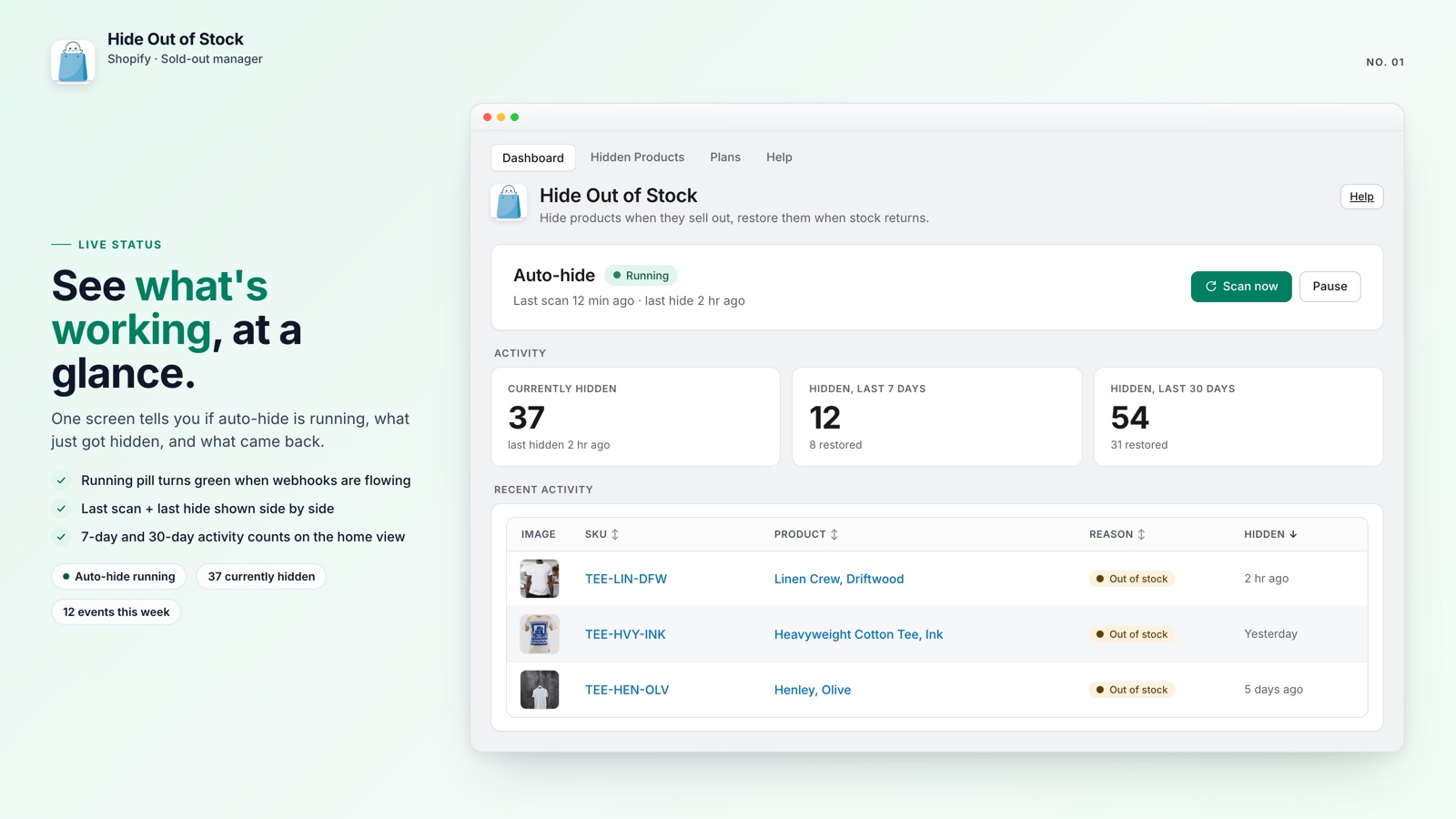
The activity feed also gives your co-founder or operations manager a straightforward answer to "What is the app doing?" You can point to the products, actions, and timestamps instead of relying on guesswork.
📥 Export the Hidden-Product List to CSV
Knowing which products are hidden is the first step. Auditing that list at scale, especially when you have hundreds of drafts, requires a cleaner view of the data.
Shopify's native export can include Draft products, but it includes the rest of the catalog too. You still have to filter the file and work out which products the app hid, which ones someone archived manually, and which ones were never published.
💡 Pro tip: Products you set to Draft manually are left untouched. Hide Out of Stock tracks and exports only the products it hid itself.
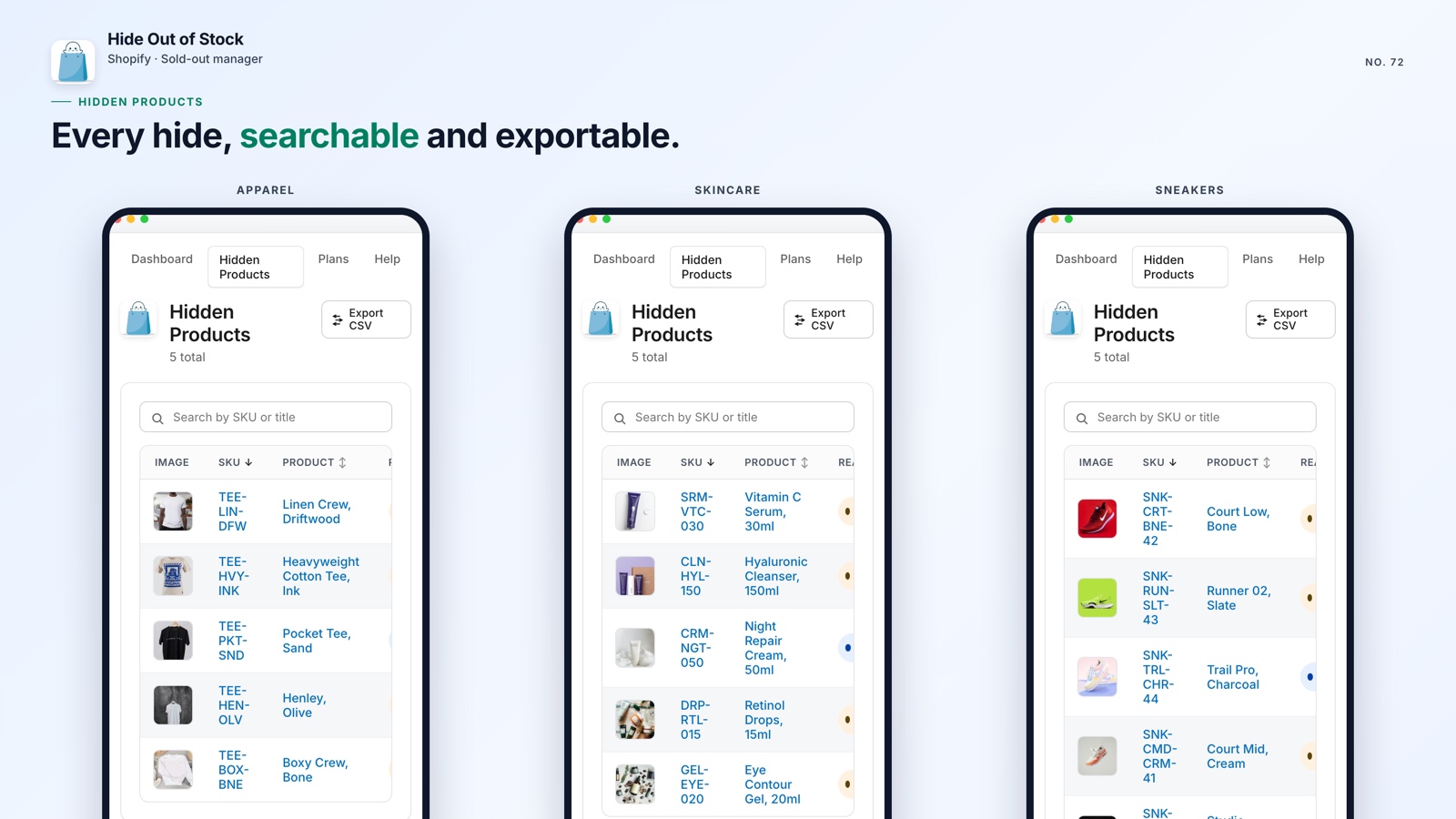
The app's Hidden Products tab gives you a focused list of exactly what it manages. Select export and you get a clean CSV with the product title, SKU, image, and hide date, only the fields you need for a review.
Use that CSV for an audit, to tell a supplier which products need restocking, or for a full-catalog check after a major inventory update.
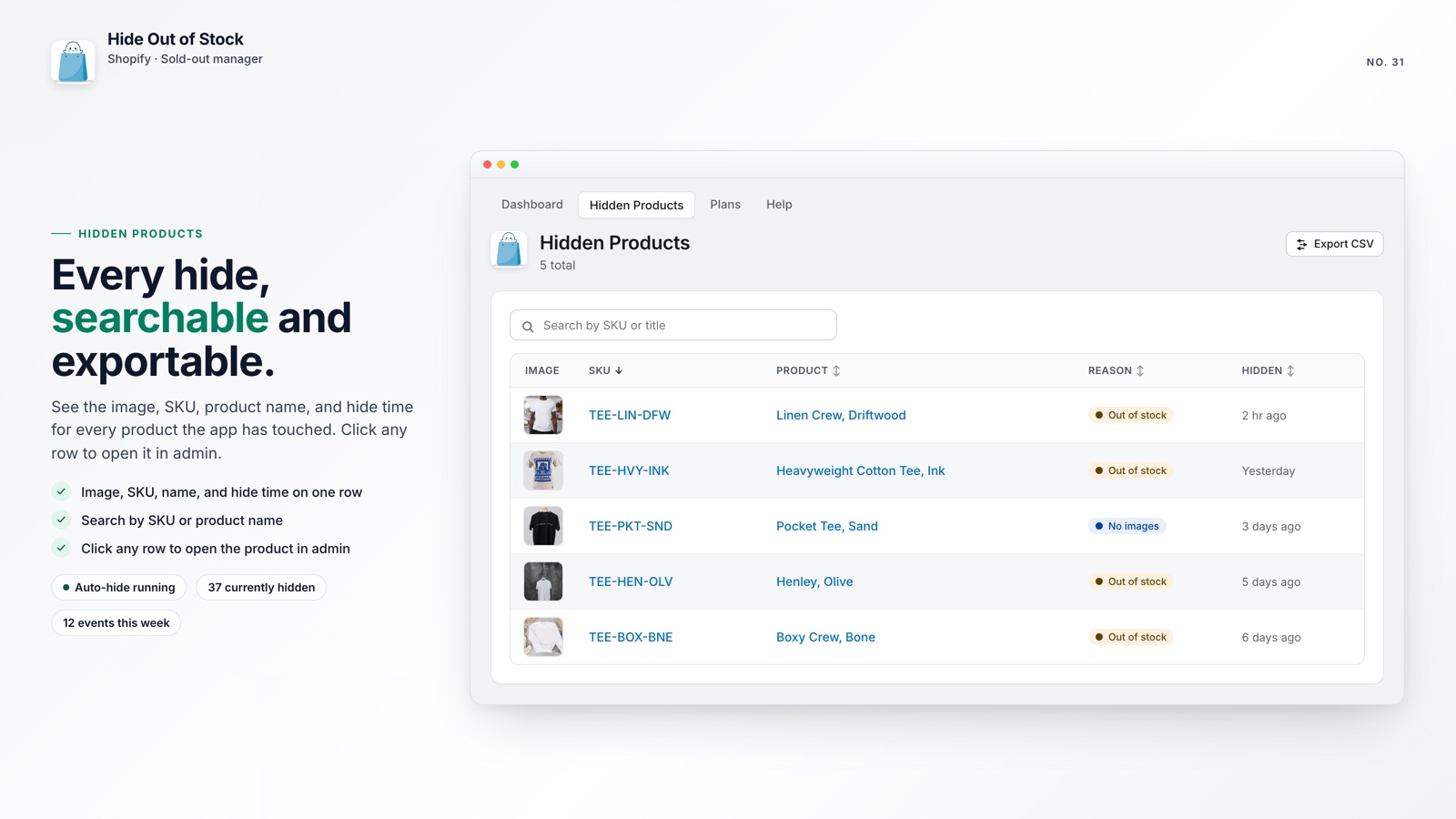
When a product is restocked and returns to Active, it leaves the hidden list automatically. The CSV therefore reflects the current state of the store, rather than an outdated snapshot.

Keep every hidden product accounted for
Hide Out of Stock hides sold-out products, records each action in a live dashboard, and exports the complete hidden list to CSV in one click.
What you get at a glance:
- Live dashboard with 7-day and 30-day activity counts
- Hidden-products list with title, SKU, image, and hide date
- One-click CSV export limited to app-managed products
- Automatic hiding within seconds when every variant reaches zero stock
- Automatic restoration as soon as inventory returns
- Sold-out sizes and colors removed from the product-page picker (Starter and Pro)
- SEO-safe 301 redirects for hidden product URLs, so they do not become 404s (Pro)
- Tag exclusions that keep pre-order and coming-soon products visible
🚀 Why Hidden-Product Visibility Matters
A product left in Draft mode costs you twice: customers cannot buy it, and the page can lose search visibility while it remains unindexed after restocking.
Some merchants push sold-out products to the bottom of a collection instead of hiding them. That may improve browsing, but it still does not tell you what changed, when it changed, or which products need attention. If you hide products, you need a reliable record of them.
If you want to protect Shopify SEO as products move in and out of stock, visibility is part of the solution. You cannot correct a hidden-product problem you cannot see.
Hide Out of Stock is free for stores with up to 100 products. Paid plans start at $7.99 and add variant hiding (greyed-out sold-out sizes disappear from the picker entirely), the /collections/all redirect, and, on Pro, automatic 301 redirects that keep hidden product URLs from becoming 404s. All paid plans include a 7-day free trial.
A live dashboard and a one-click CSV export are practical inventory controls: they give your team a current, reviewable record of what the app has hidden.