Shopify's built-in "best selling" sort ranks products by all-time order count. A jacket you sold heavily in 2021 sits at position one for years, while a hoodie selling well this week sits lower. The collection page reflects historical sales, not current demand.
🎯 Quick Summary
- Shopify's native best-selling sort uses all-time order count, not recent trends.
- Sortello (Pro) sorts by real sales velocity: 7, 30, or 60 days, your choice.
- Two smart recipes (Pro) blend in-stock bestsellers and new arrivals in one click.
- Free plan covers up to 10 collections. Pro starts at $9.99/mo with a 7-day trial.
📊 How to Sort Shopify Products by Best Selling (With Real Data)
Shopify's ranking logic counts every order ever placed. A product sold in bulk to one wholesale customer in 2022 can sit at position one indefinitely. That ranking reflects historical volume, not current demand.
The cost is easy to overlook but real. Shoppers land on your collection and see last year's hits. Products converting well this week may appear on page three. As a result, shoppers may not see the products most likely to convert.
The manual fix is to export your orders, work out recent sales by date range in a spreadsheet, then drag products into order one page at a time. On a large collection that is a lot of clicking.
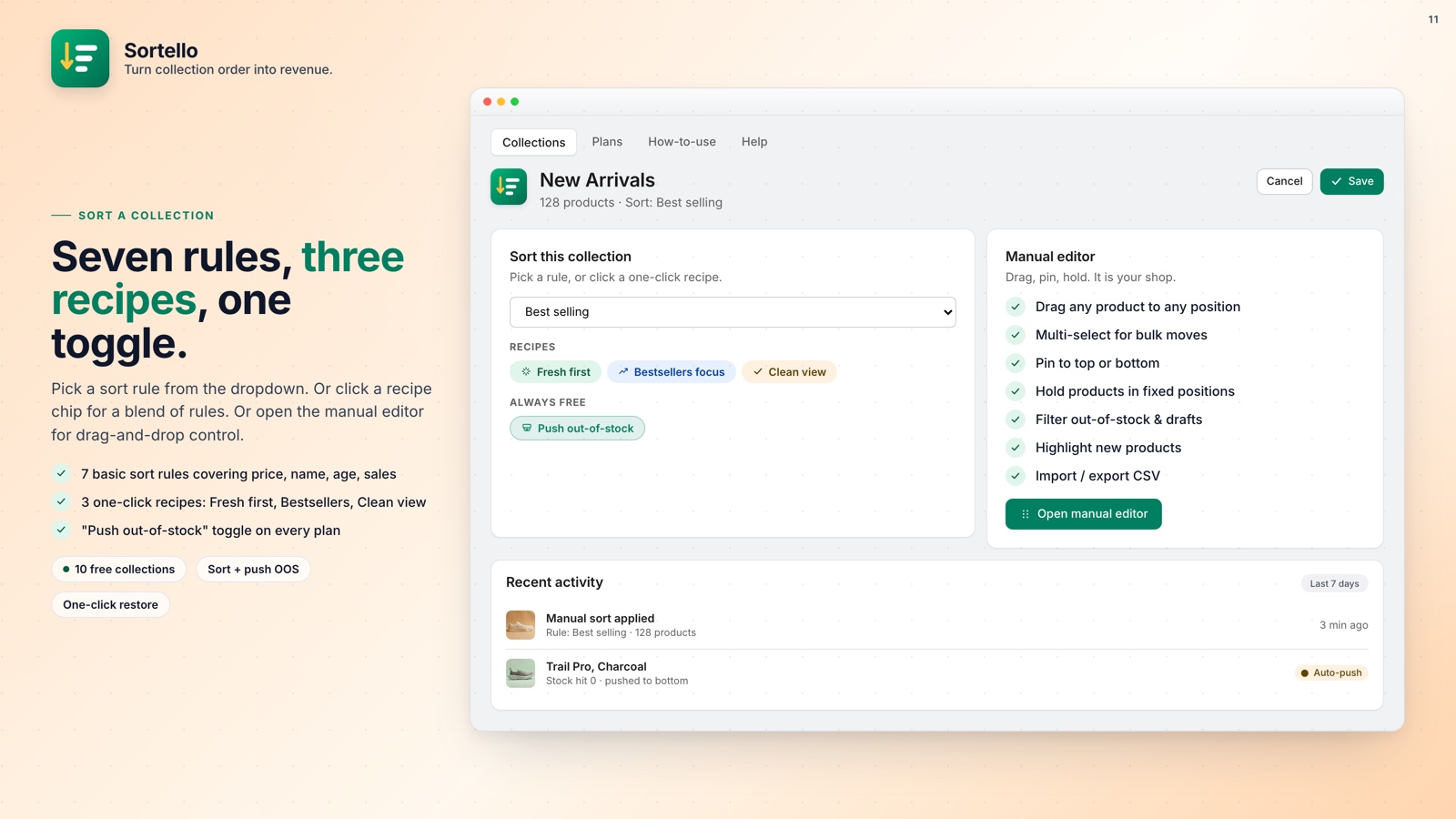
The easier fix: Sortello's Pro plan lets you sort any collection by sales velocity over the past 7, 30, or 60 days. The products selling best right now rise to the top. Automatically, on a schedule you control.
If your sort reverts to alphabetical after a catalog change, scheduled re-sorts (Pro) reapply it before it reaches more shoppers.
💡 Pro tip: Use the 30-day window as your default: recent enough to catch real trends, long enough to filter out a one-day spike from a single influencer post.
📈 Smart Recipes: Blend Bestsellers with Fresh Products
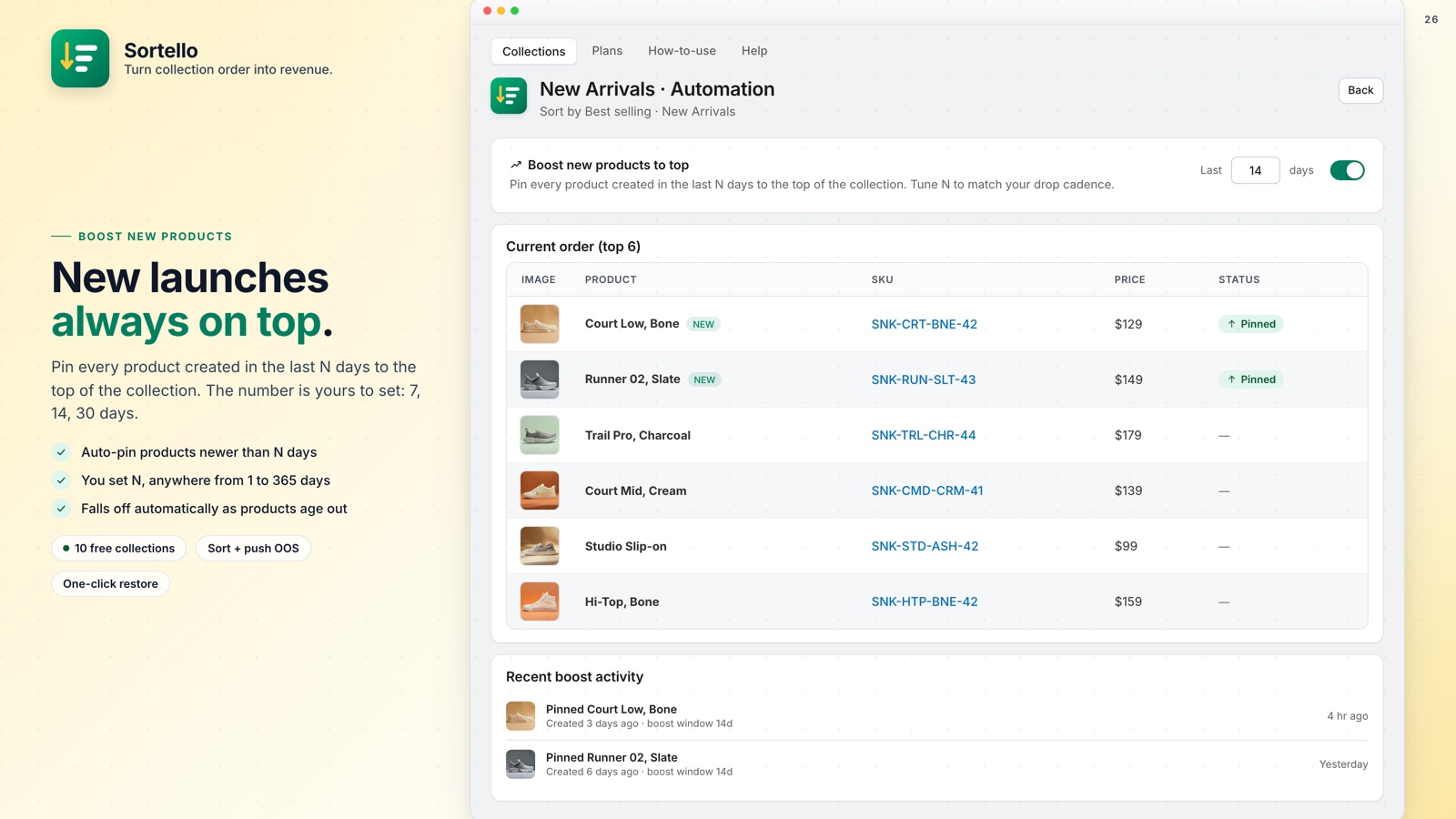
Here's the tension every store runs into: bestsellers convert, but new products have zero sales history. Sort by velocity and new arrivals disappear for weeks. Sort by newest and your established bestsellers move lower in the list. Neither is great.
Shopify gives you one sort rule per collection, so you pick one and live with the tradeoff.
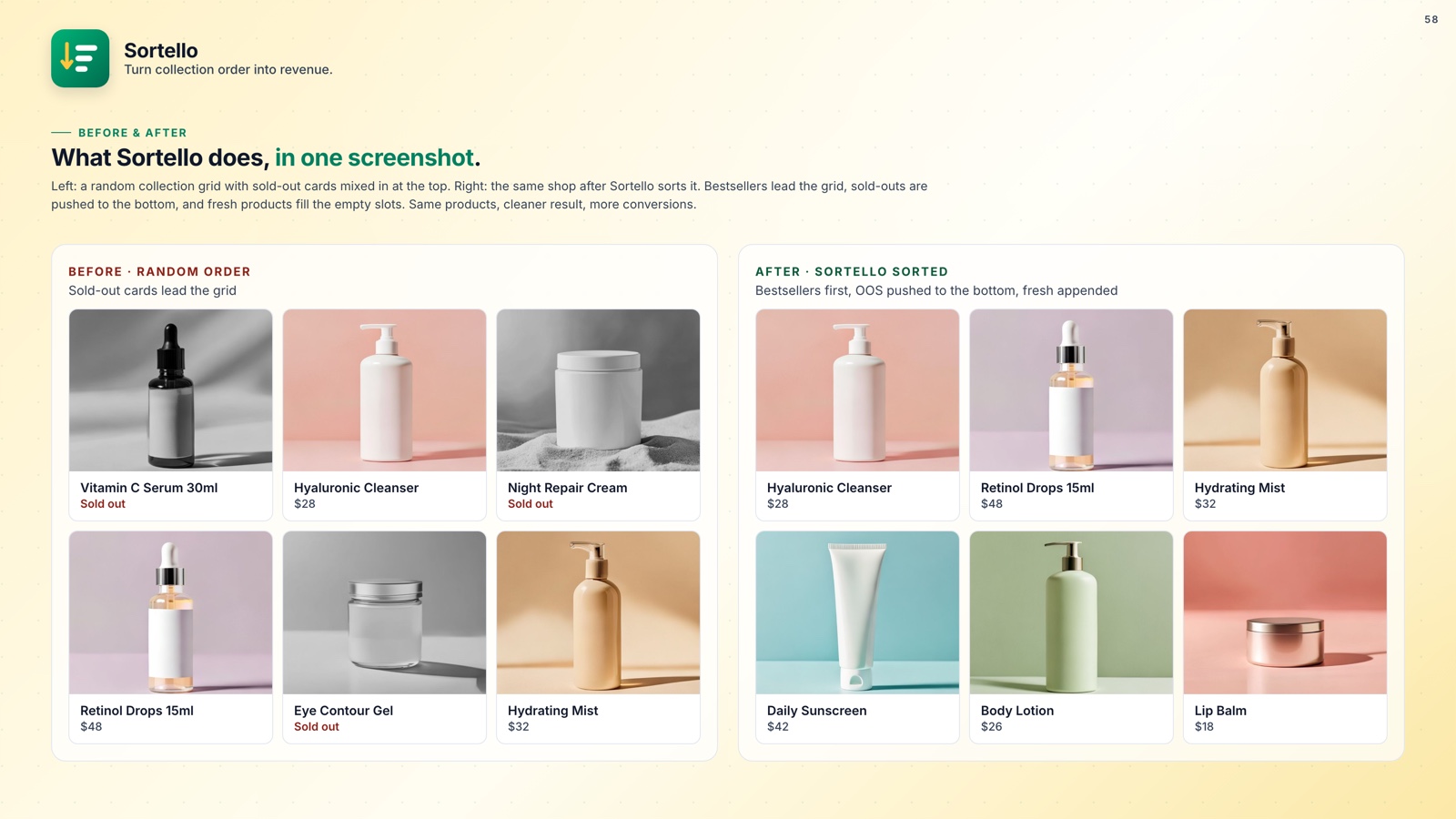
Sortello's two smart recipes (Pro) handle this in one click. "Fresh first" puts your newest in-stock products on top, then older in-stock products, then anything out of stock. "Bestsellers focus" uses Shopify's best-selling order with in-stock products first and sold-outs pushed down.
You can also build your own blend: a tag pin for a hero product, a velocity sort for the rest, and out-of-stock products pushed to the bottom. Moving sold-out products to the end of a collection is one of the higher-impact changes a Shopify store can make for conversion rate.
Getting your Shopify collection product ranking right means your best in-stock inventory is always visible, not pushed below items that are no longer available.

Stop letting stale data run your collection pages
Sortello surfaces real bestsellers, blends in new arrivals, and keeps sold-outs at the bottom. No theme code. No spreadsheets. Set up in minutes.
Everything you get, at a glance:
- Sort by 7, 30, or 60-day sales velocity, not all-time order count (Pro)
- Two one-click recipes that blend in-stock bestsellers and new arrivals (Pro)
- Real-time push of out-of-stock products to the bottom, then back into your order on restock (Pro)
- Featured slots that lock products to exact storefront positions 1 to 12 (Pro)
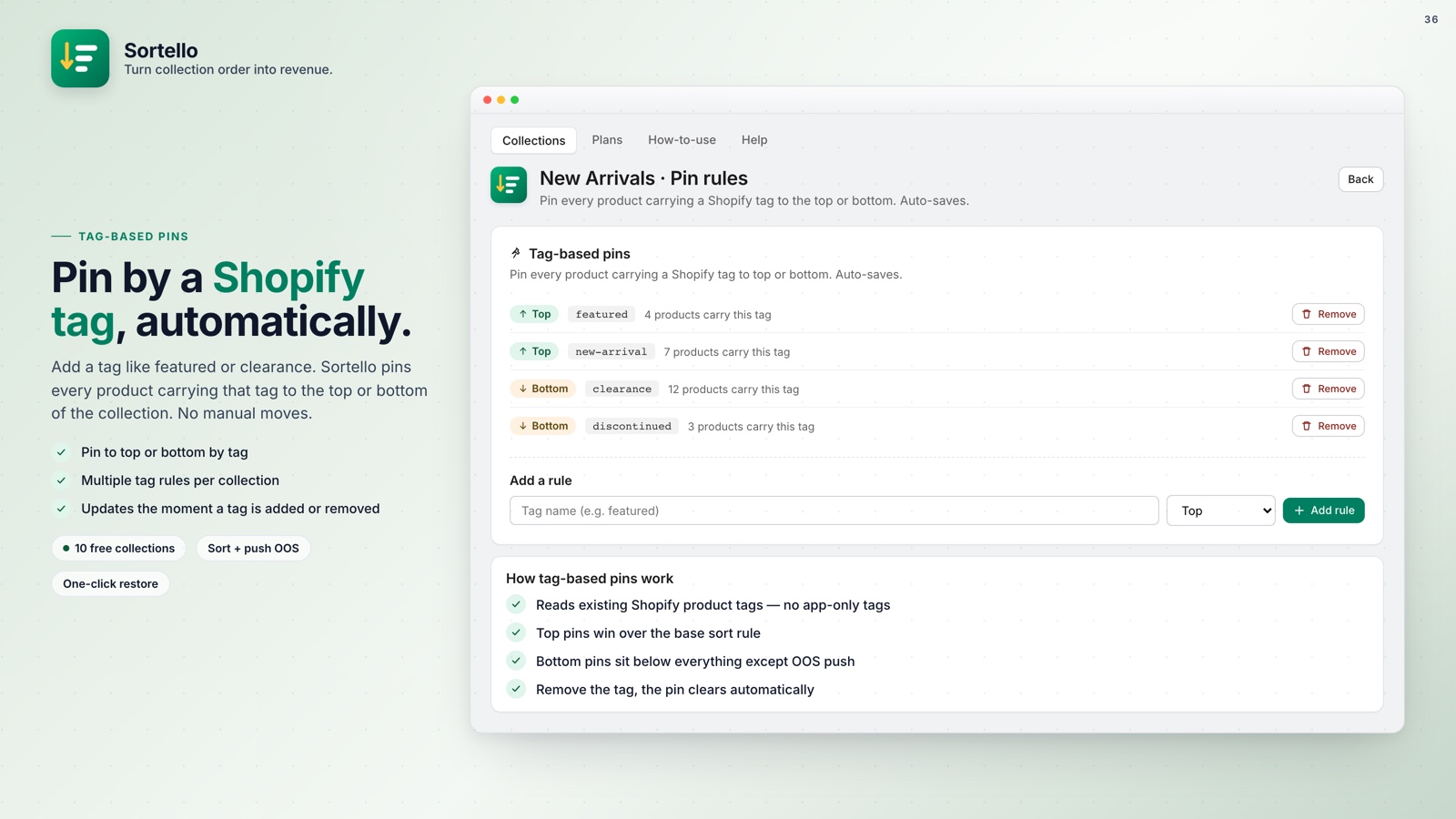
- Tag-based pins using your existing Shopify product tags (Pro)
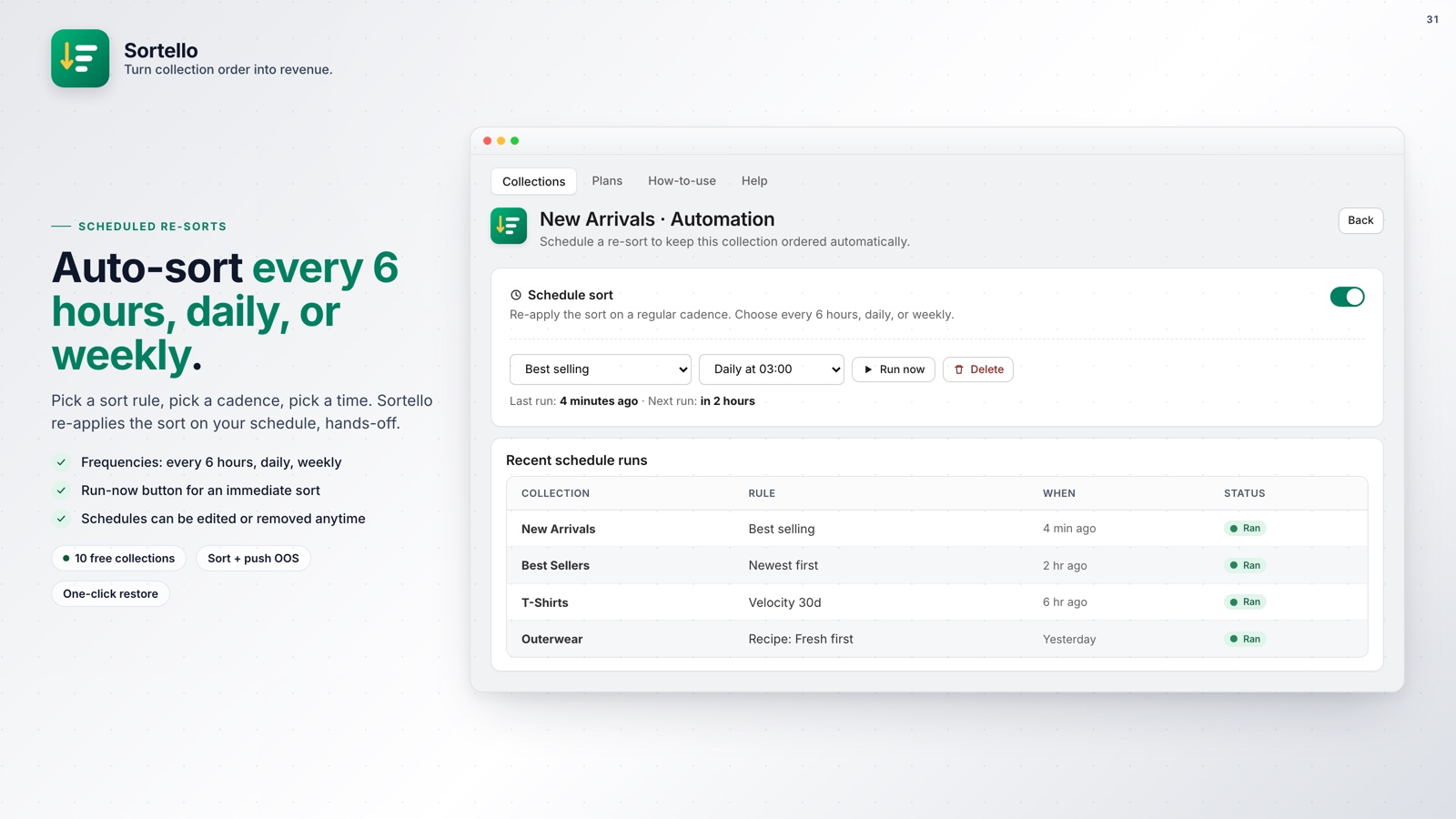
- Scheduled re-sorts from every 6 hours to weekly (Pro)
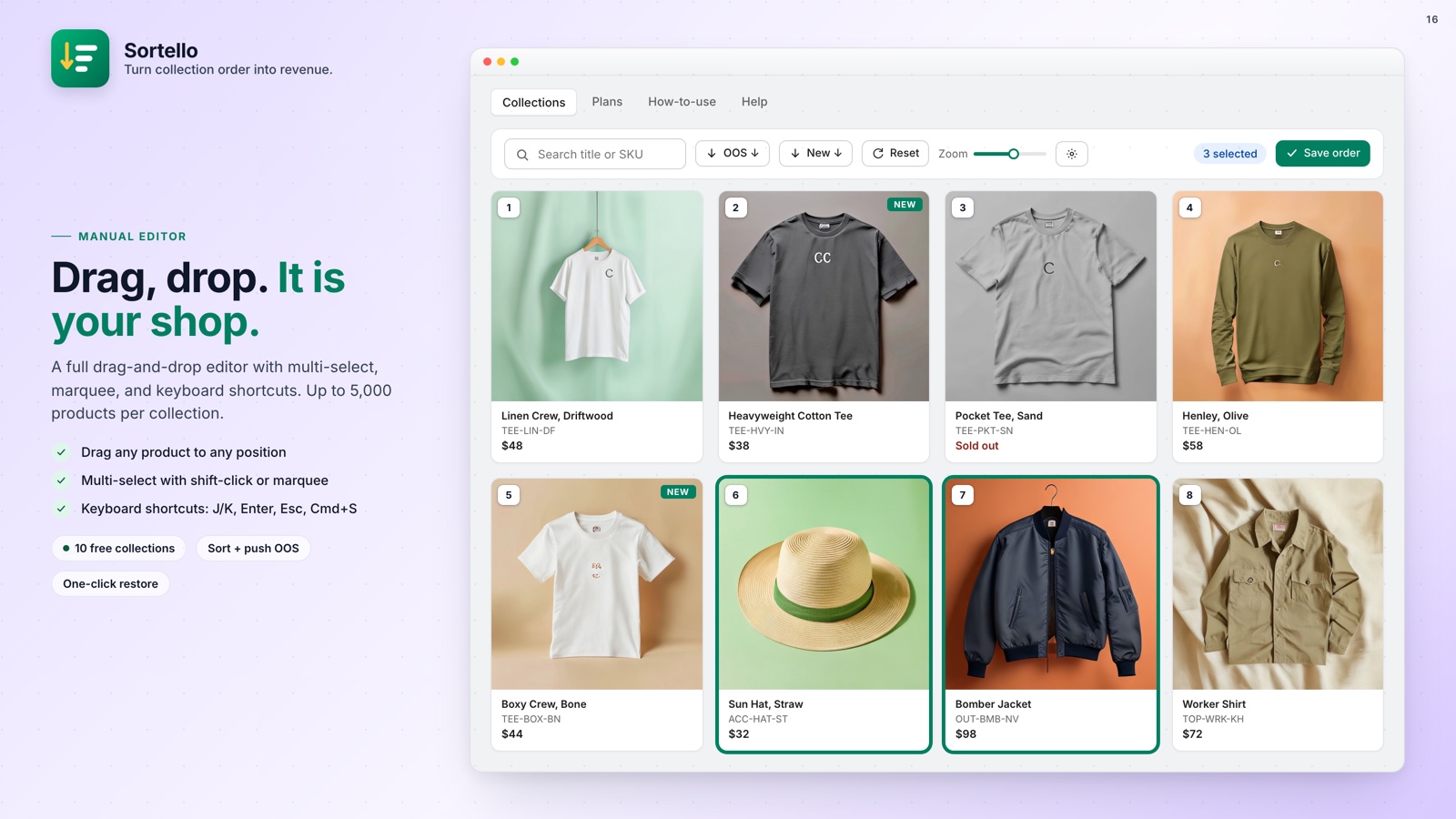
- Drag-and-drop editor for up to 5,000 products per collection (all plans)
- Sort history: the last 20 versions of each collection, one-click restore (all plans)
- No theme code required
🚀 Why Every Store Should Fix This
On a collection page, the products at the top get the clicks and the conversions; the ones at the bottom get ignored. Shopify's native sort is simple, not strategic, and on a real catalog that costs sales. Collection order affects conversion rate more than most merchants realize.
Sortello's Free plan covers 10 collections with the manual editor, one-click out-of-stock push, and sort history. Pro at $9.99 a month adds the sales-velocity sort, scheduled re-sorts, tag pins, and featured slots, with a 7-day free trial.