A shopper searches for one of your best products, clicks the Google result, and lands on a 404. The shopper leaves, and the page may lose visibility because the sold-out product was unpublished without a redirect.
So, should you hide out-of-stock products on Shopify? The answer depends on the product. Hiding unavailable listings creates a cleaner shopping experience; keeping valuable product URLs accessible protects search traffic. With the right setup, you can do both.
🎯 Quick Summary
- Hiding sold-out listings keeps your catalog focused on products shoppers can buy
- Hiding a product without a 301 redirect can turn its URL into a 404 and weaken its SEO value
- Tags such as
pre-orderandcoming-sooncan keep selected products visible - Hide Out of Stock automates hiding, redirects, and restoration when inventory returns
🙈 When hiding sold-outs is the better choice
A sold-out product page has two competing effects. It can frustrate shoppers who expect to buy, but it can also preserve Google rankings, backlinks, and direct traffic that took months to earn.
Both can be true for the same product. The right decision comes down to whether the item is temporarily unavailable, permanently discontinued, or still useful for discovery and demand generation.
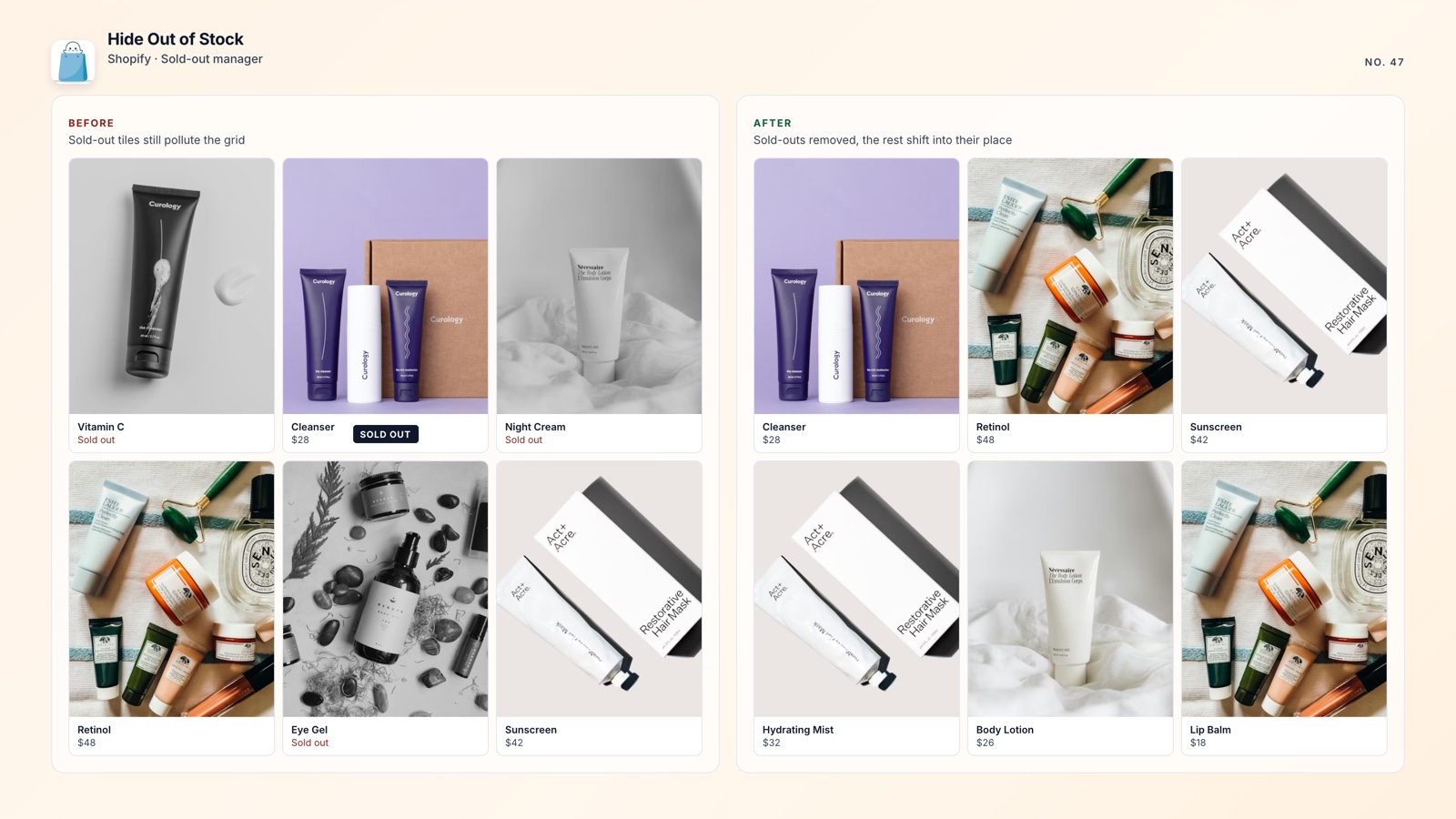
Hiding is usually better when: the product is unlikely to return soon, the collection is crowded, or paid traffic is sending shoppers to a page they cannot use. A catalog centered on available products is easier to browse and compare.
Keeping the page live is usually better when: the product will return soon, has meaningful backlinks or rankings, or supports a waitlist, back-in-stock alert, or pre-order. A live page can keep earning organic traffic while setting a clear expectation about availability.
When a product should disappear from the storefront, the practical compromise is to hide it and redirect its old URL to the most relevant collection. Shoppers reach a useful destination, and Google can follow the permanent redirect instead of finding a dead page.
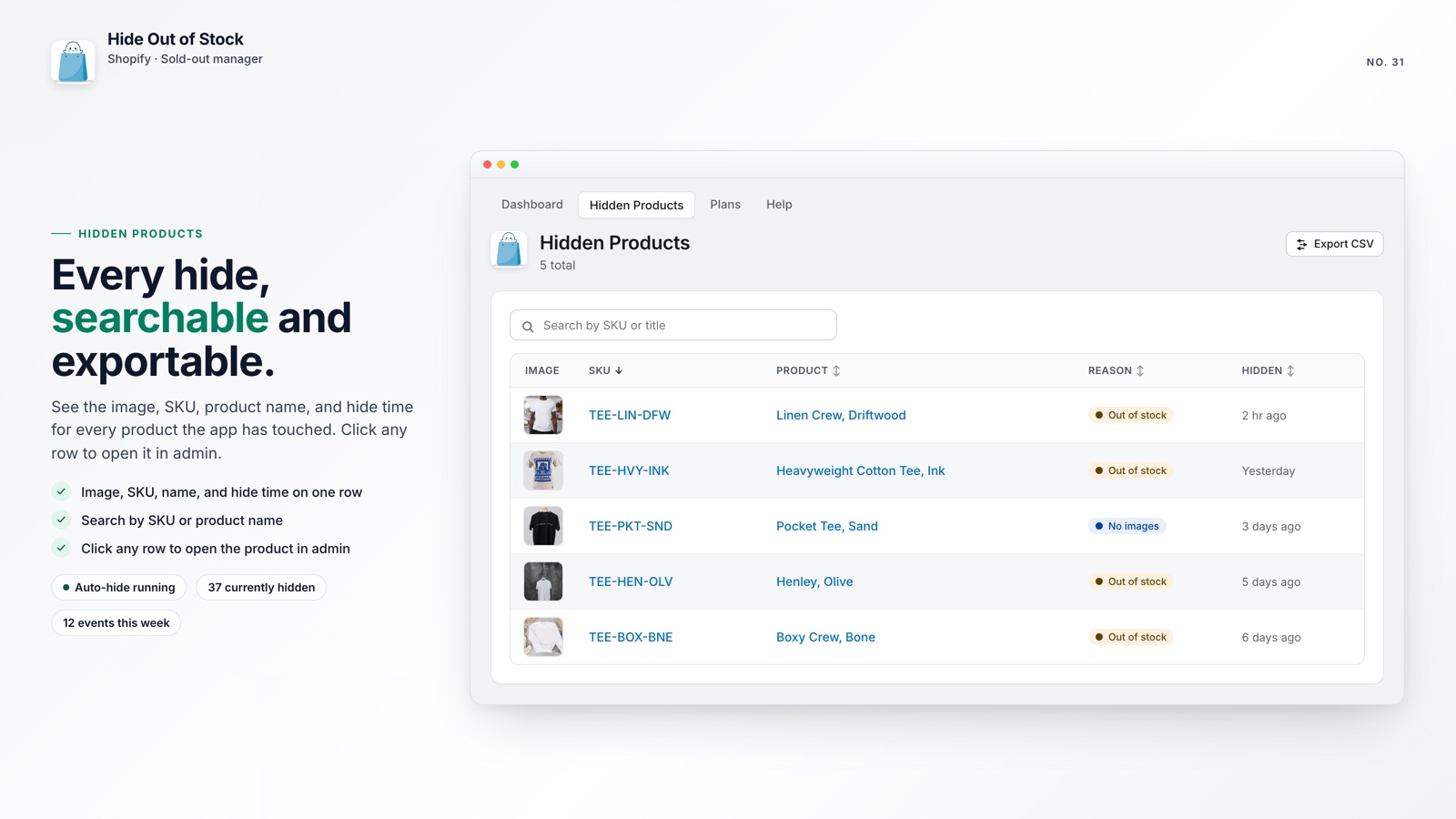
Manually, you move the product to Draft in Shopify admin, then open Online Store, Navigation, and URL Redirects to create the redirect. You must repeat that process for every sellout, which is easy to miss as the catalog grows.
The faster option is Hide Out of Stock, which creates a 301 redirect when it hides a product and removes it when the product restocks. The workflow runs without repeated manual cleanup.
🏷️ Hide most products and keep important exceptions visible
Pre-order items, coming-soon products, and seasonal bestsellers waiting for a restock should often stay visible even when inventory reaches zero.
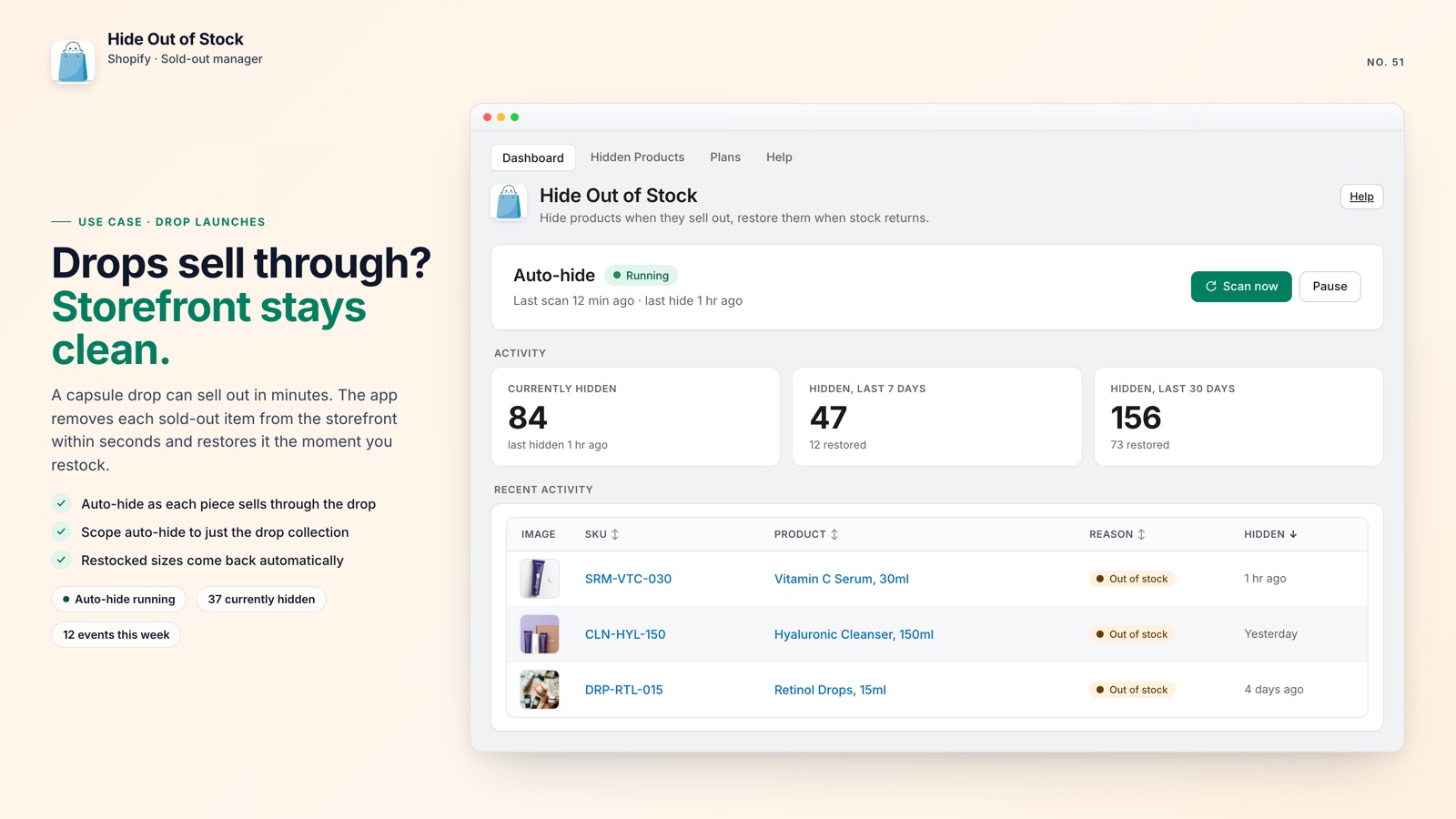
Without an automation tool, you have to track which products reached zero, remember which ones should remain visible, and avoid unpublishing pre-order items by mistake. With a large catalog, that becomes a recurring operations task.
With Hide Out of Stock, add a tag such as pre-order or coming-soon to any product that should remain visible. The app skips those products, auto-hides the rest when they sell out, and restores them as soon as any variant comes back in stock.
You can also limit the workflow to specific collections, so auto-hiding runs only where it fits your store's merchandising strategy.
💡 Pro tip: use one consistent tag such as nohide across your team. That makes exclusions easy to understand and prevents accidental changes.

Hide, redirect, and restore automatically
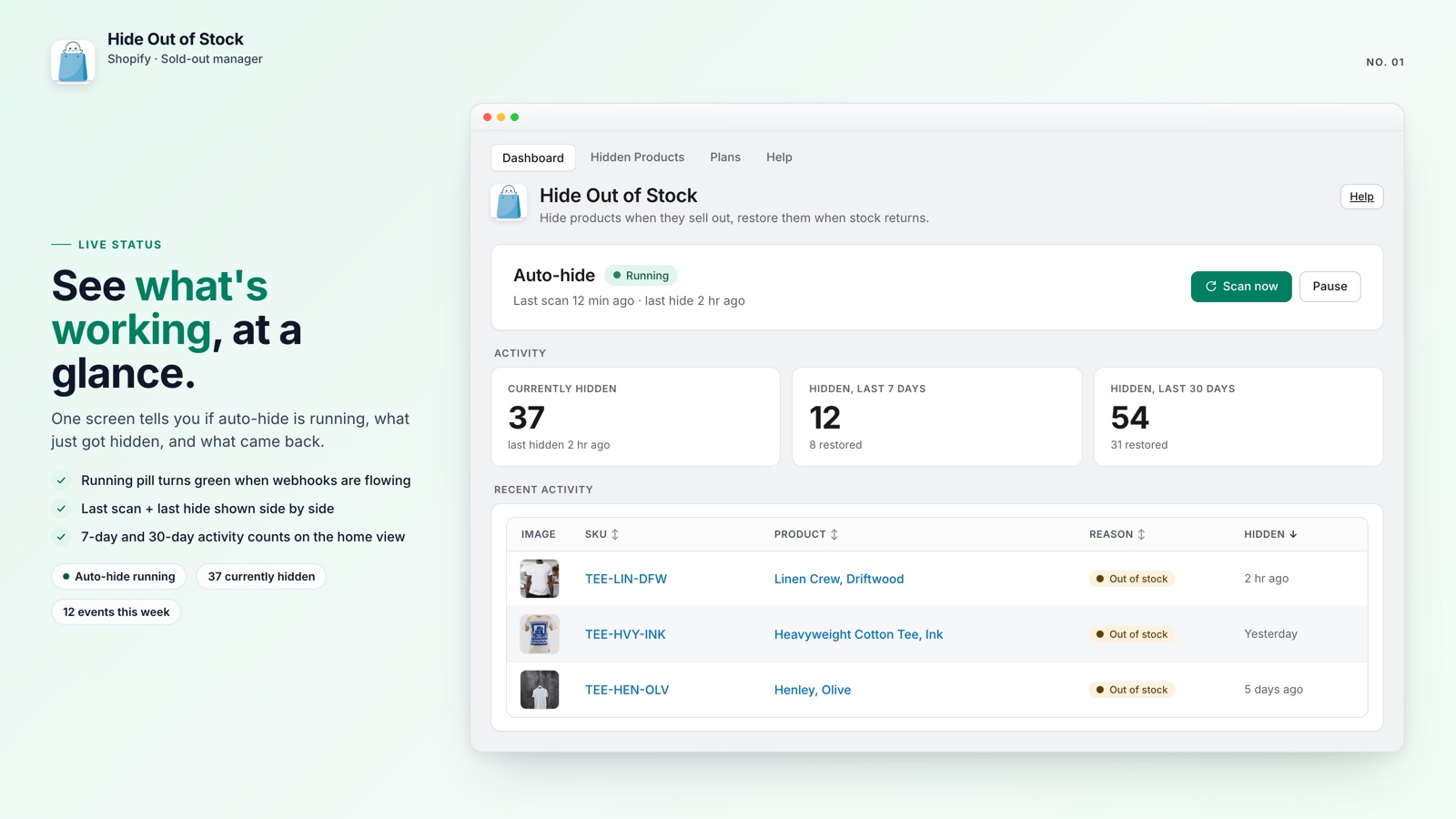
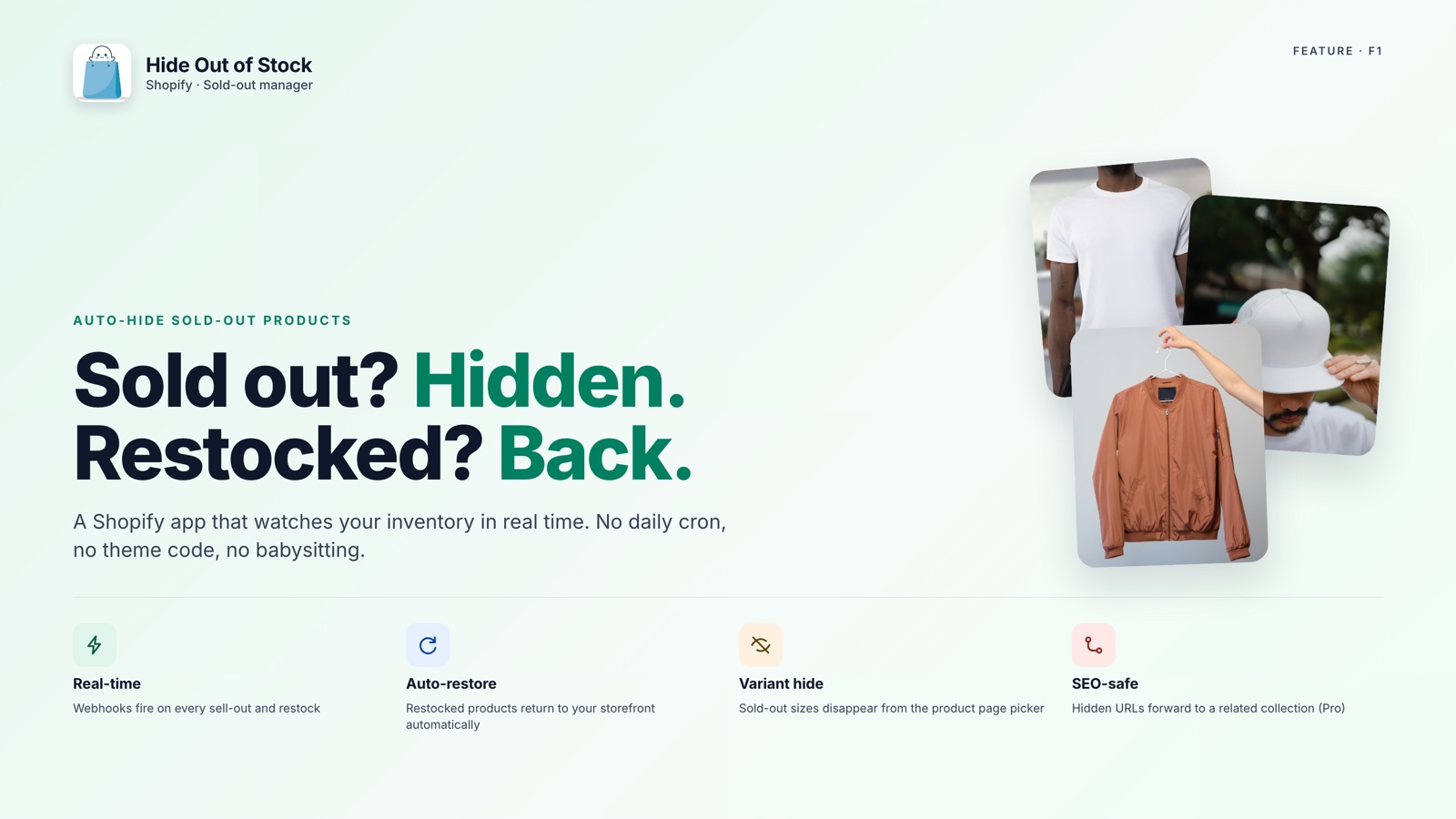
Hide Out of Stock monitors inventory in real time, hides sold-out products within seconds, adds 301 redirects so URLs do not become 404s, and restores products when stock returns.
Here is what the app handles automatically:
- Hides products within seconds after every variant reaches zero stock
- One-click catalog scan hides products that were already out of stock after installation
- SEO-safe 301 redirects keep product URLs from becoming 404s (Pro plan)
- Tag exclusions keep pre-order and coming-soon products visible at any stock level
- Restores a hidden product when any variant comes back in stock
- Daily safety-net re-check catches inventory updates if a webhook is missed
- CSV export of hidden products so you can review products still in Draft
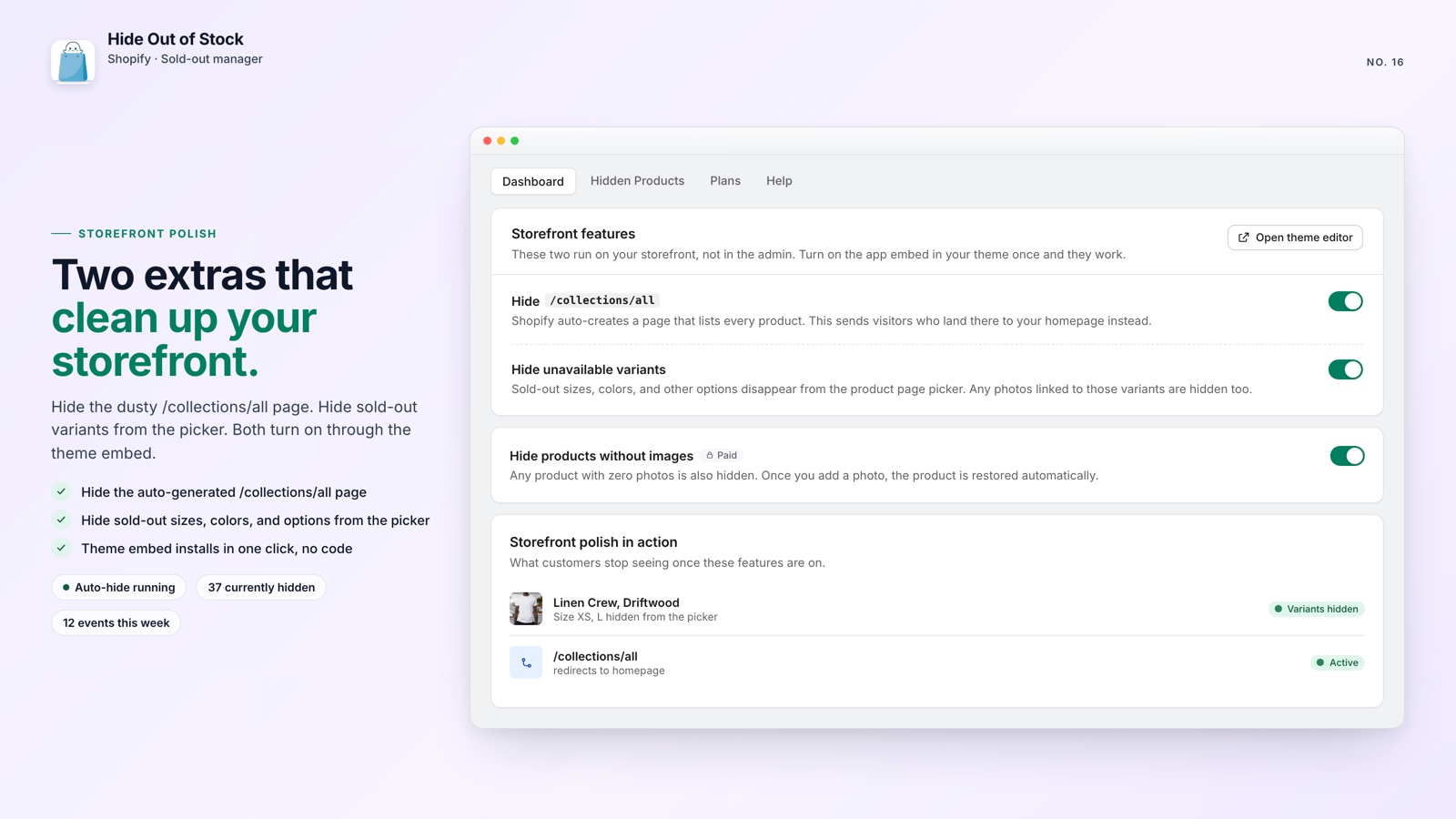
🚀 Why this matters for every store
Most stores make one of two mistakes: they hide products and create 404s, or keep sold-out products visible and add unavailable pages to the catalog. Both choices create avoidable work and become harder to fix as the catalog expands.
It is also worth knowing that out-of-stock products can float to the top of your collections by default. That is a separate but related merchandising problem worth fixing at the same time.
Hide Out of Stock is free for stores with up to 100 products. The Starter plan ($7.99/month) adds variant hiding and collection controls. Pro ($14.99/month) adds SEO-safe 301 redirects. All paid plans include a 7-day free trial.
The manual approach works for a handful of products, but it is difficult to maintain at scale. A small amount of setup now can protect the customer journey and your search visibility over time.