Your "Summer Drop" pre-order launches with zero inventory by design. If your hide-out-of-stock app treats that zero as a sell-out, it can set the product to Draft and remove the page from Google before customers find it.
Two settings prevent this. One tells the app which products to leave alone regardless of stock. The other limits hiding to the collections you choose, so the rest of your store stays unchanged.
🎯 Quick Summary
- Tag a product pre-order or coming-soon so Hide Out of Stock skips it regardless of stock.
- Limit hiding to selected collections instead of applying it to the full catalog.
- SEO-safe 301 redirects on Pro keep hidden product URLs useful and pass link equity.
- Both settings are free on every plan and take about five minutes to configure once.
🏷️ Tag Exclusions: Keep the Products You Want Visible
Pre-order and coming-soon products occupy a special place in your catalog: zero inventory is intentional, and the product should remain visible in your storefront and search results.
The problem is that most out-of-stock logic follows a simple rule: zero stock means hide. It cannot tell the difference between a product that sold out and a pre-order whose zero stock is intentional.
Draft status means Google cannot index the page. Every day a pre-order remains hidden is a day it is not building the search visibility you may need when stock arrives. A product page that starts with no history on launch day has more ground to cover.
The manual workaround: check each pre-order after every app run and switch it back to Active by hand. That is easy to miss as the catalog grows.
The easy fix: use skip tags. In Hide Out of Stock, add tags to the exclusion field. Any product carrying one of them, such as pre-order, coming-soon, or nohide, is skipped by the auto-hide logic. The product stays Active and indexed regardless of inventory.
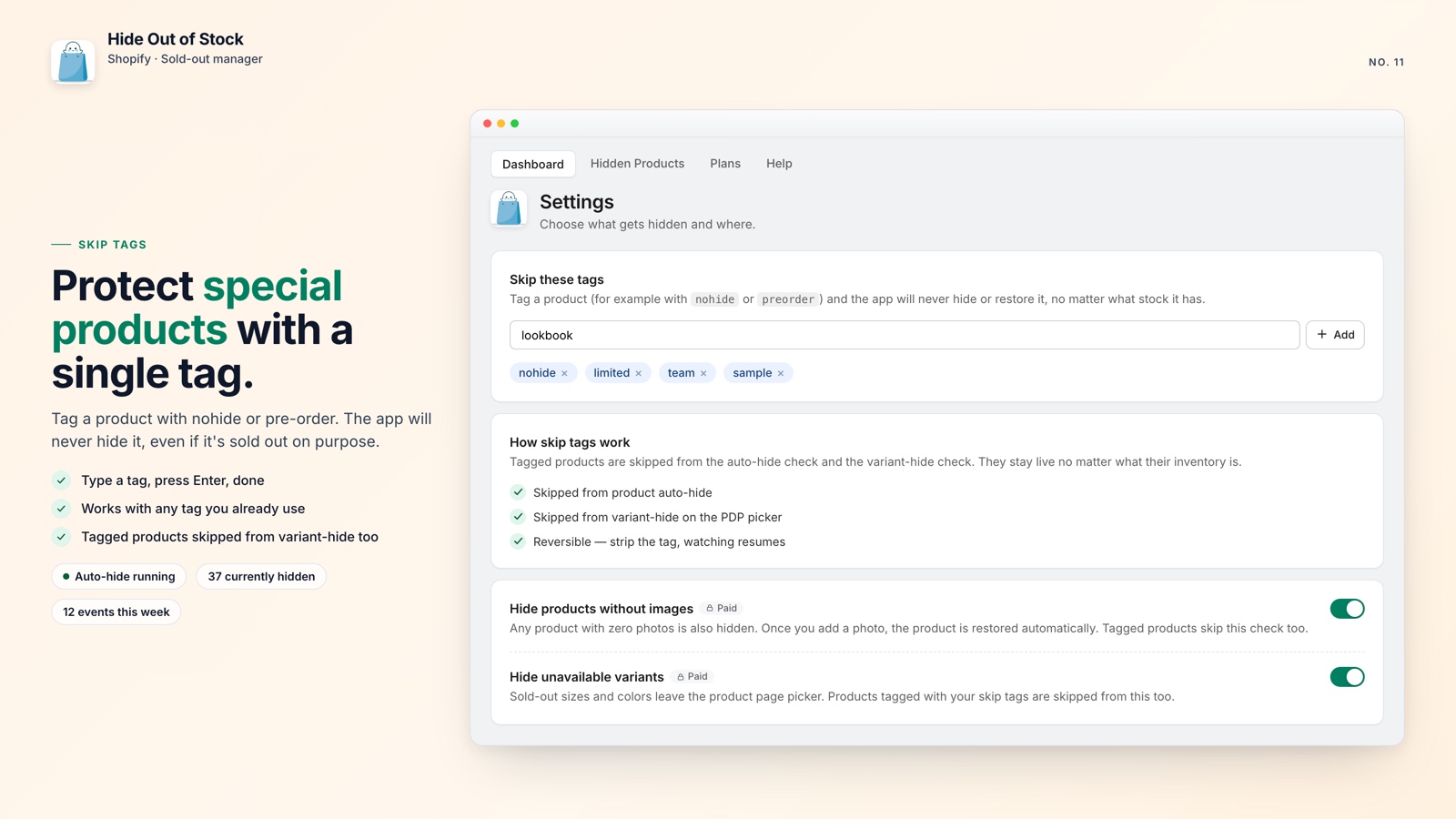
Tag it once and the app skips it on future runs. You can still run the one-click full catalog scan when the app is installed; excluded products are skipped automatically.
The same approach works for coming-soon pages. Publish the page, add the tag, and let it build search visibility before the public launch.
🗂️ Limit Hiding to Specific Collections
You may not need to auto-hide products across your entire catalog. Limit the feature to a seasonal clearance section while keeping an evergreen collection visible.
By default, Hide Out of Stock watches everything. Collection scoping changes that: you choose the collections to monitor, and only products in those collections are auto-hidden. Everything outside the scope stays as you left it, regardless of stock.
The manual version is difficult to maintain. Shopify Flow requires separate workflows for each collection, and products that appear in several collections can make the rules harder to manage.
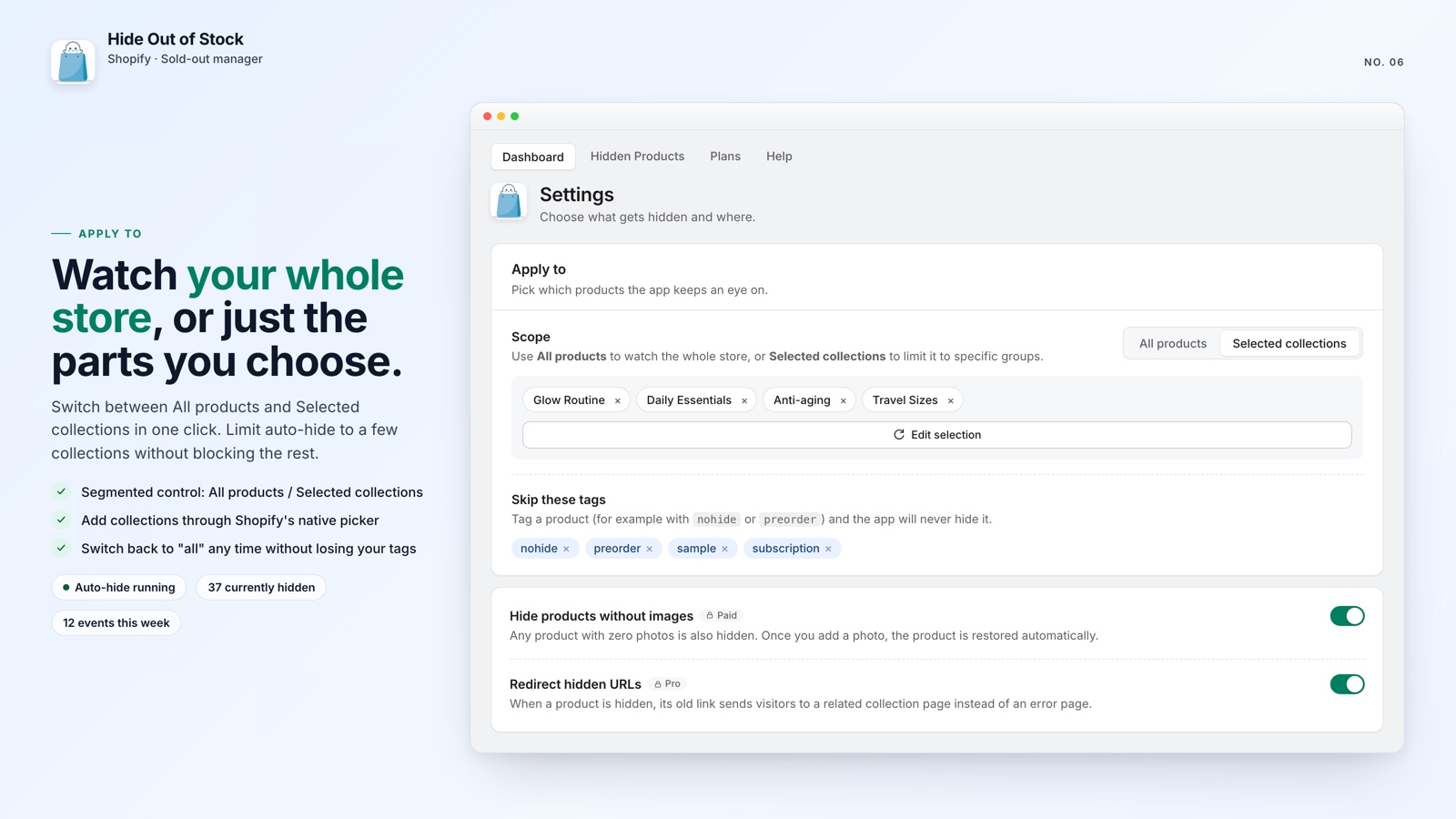
With Hide Out of Stock, you select the collections once in settings. That is it. The app handles the rest in real time, and it auto-restores products the moment any variant comes back in stock, so you are not manually republishing either.
This pairs naturally with collection-level tools. If you are already using something to stop sold-out products from floating to the top of your collections, scoping your hide logic to the same collections means both tools cover the same ground cleanly.
💡 Pro tip: Start with your highest-traffic collections, confirm the behavior, and then expand to the rest of your catalog.

Hide sold-outs. Keep pre-orders visible.
Tag exclusions, collection scoping, real-time auto-restore, and SEO-safe 301 redirects in one app, free to start.
What you get:
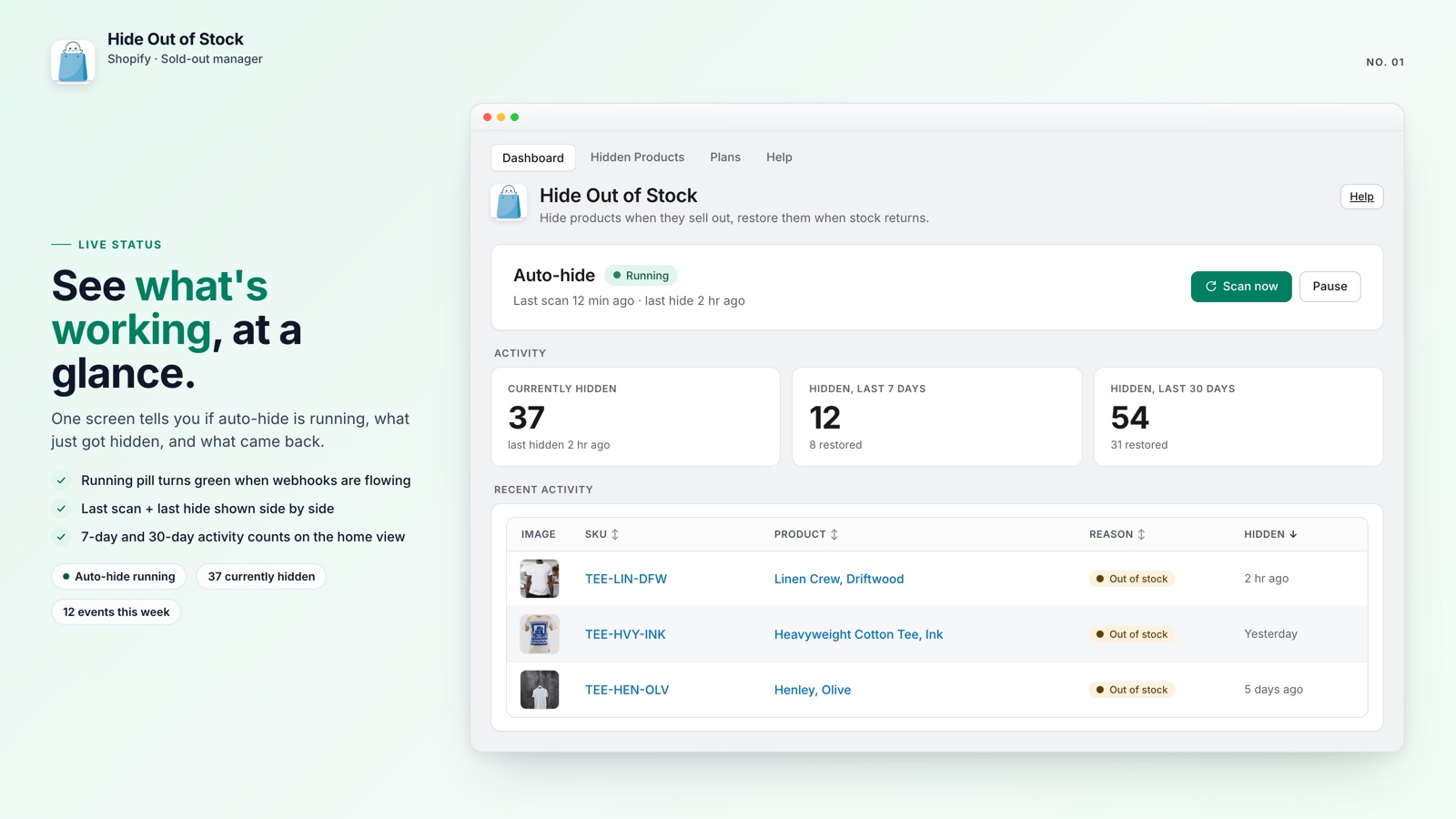
- Hides products within seconds of every variant hitting zero
- Auto-restores the moment any variant comes back in stock
- One-click scan hides everything already out of stock right after install
- Tag exclusions keep pre-order and coming-soon products visible
- Scope hiding to specific collections, not your whole catalog
- SEO-safe 301 redirects on Pro prevent 404s when products are hidden
- Variant-level hiding removes sold-out sizes and colors from the picker (Starter and Pro)
- Daily scheduled scan catches webhook events that were missed
🚀 Why This Setup Matters
If you run pre-orders or tease upcoming products, letting them get auto-hidden can be costly. A page can build useful search visibility before launch; a product that was never indexed starts from zero when the campaign begins.
Tag exclusions and collection scoping are free, available on every plan, and configured once. After that, they continue automatically in the background.
If you want stronger SEO protection, the Pro plan adds SEO-safe 301 redirects so a hidden product URL points to a relevant collection instead of becoming a 404.
The setup requires only a clear tagging convention and a collection rule.